 Jam Puasa: Diet Timer
Stomach rumbling? Check the timer first. Jam Puasa times your intermittent fast, comes with ready-made presets and has a Ramadan mode for the fasting month.

One tap logs a glass. Kendi does the counting, you just drink.

Use Quick add for your usual glass, or Log custom when the size is different. Set your own daily goal, or let Kendi work one out from your weight and activity level.
Set your wake and sleep times, then choose how often to be reminded: every 30 minutes, every hour or every 2 hours. During the fasting month, Ramadan mode only reminds you between iftar and suhoor, based on your city.

Tap Quick add, or Log custom to enter the ml and type.
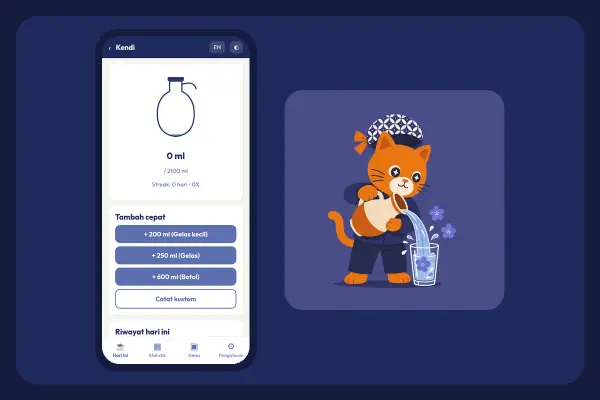
Enter a Daily goal, or use Compute goal from weight.
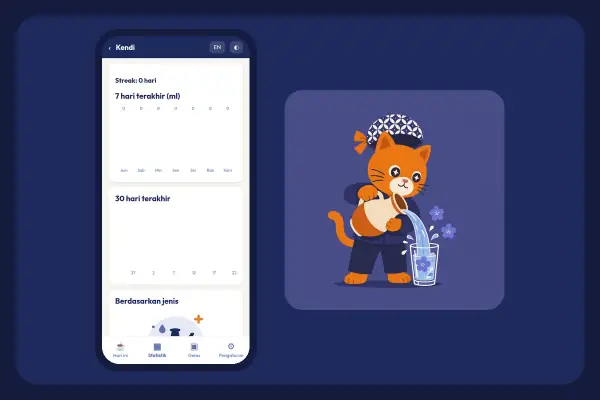
Fill in your Wake and Sleep times.
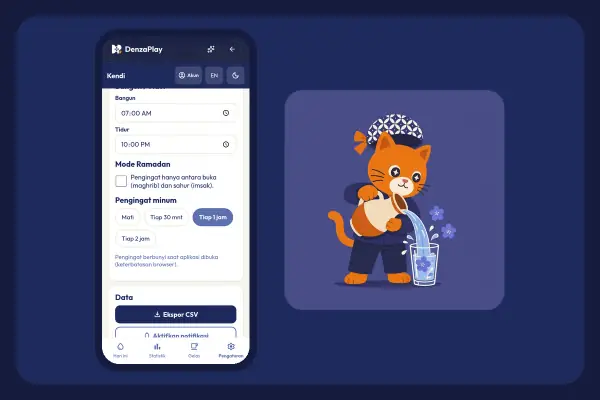
Choose Drink reminders: off, every 30 minutes, every hour or every 2 hours.
Save your cup sizes, and use Undo last if you tap by mistake.
Reminders only between iftar and suhoor, by city.
The last 7 and 30 days, by drink type, plus your streak.
Save your drink log as a CSV file.
No. Google sign-in is optional and only for sync. Without it, your data stays on your device.
Not yet. Kendi saves backups as a CSV file. If you sign in, your data can sync too.
Jam Puasa: Diet TimerStomach rumbling? Check the timer first. Jam Puasa times your intermittent fast, comes with ready-made presets and has a Ramadan mode for the fasting month.
 Rajin: Habit Tracker
One tick today, another tomorrow, and your streak keeps getting longer. Start from a habit template, then peek at your stats.
 Curhat: Mood Journal
Big grin or crumpled face? Pick the emoji mood that fits, note what you got up to today, and your journal gains another page.
 Otot Kawat: Gym Log
No more memorising what you lifted on the last set. Otot Kawat logs every workout, saves your routines and shows your progress.